Menu


How to Choose a POS System That Integrates With Your Business Tools
By John Misarti March 24, 2025
Businesses looking to maximize financial management, enhance customer satisfaction, and streamline operations must select the best POS system. But accepting payments isn’t the only function of a point-of-sale system. It should work in unison with your current business tools, including inventory management platforms, accounting software, and CRM software.
With so many options available, selecting a POS system that integrates with your business tools can feel overwhelming. This guide will walk you through the factors to consider and help you make an informed decision.
Understanding POS System Integrations
Selecting a POS system that integrates seamlessly with your existing business tools is not just a convenience—it is a necessity. Businesses that fail to implement a well-integrated POS system may face inefficiencies, data silos, and increased manual workload. A robust integration ensures that sales, inventory, customer data, and financial records work in harmony, providing a solid foundation for business growth and improved decision-making.
What Are POS System Integrations?
POS system integrations refer to the ability of your POS software to connect and work seamlessly with other business applications. Whether it’s syncing customer data with a CRM and POS system or managing financial records with accounting software and POS, having a well-integrated setup ensures smooth business operations.
Why Are POS Integrations Important?
The efficiency of your business is greatly increased by integrating your point-of-sale system with other tools. Businesses can cut down on errors and save time by doing away with manual data entry. Additionally, when purchase history and preferences are easily saved in CRM software, businesses are able to provide individualized services, which enhances customer experiences.
From a financial perspective, integrating your POS with accounting software ensures real-time tracking of revenue, expenses, and tax obligations. Inventory management becomes more reliable when stock levels update automatically after every sale. Moreover, consolidated data from different business tools provides deeper insights, helping owners make data-driven decisions.

Key Business Tools Your POS System Should Integrate With
Choosing a POS system that integrates with essential business tools is key to streamlining operations and enhancing efficiency. Businesses rely on various software applications to manage customer relationships, financial records, and inventory. A well-integrated POS system eliminates data silos and ensures seamless communication between these tools, allowing businesses to operate smoothly without redundant manual work.
1. CRM and POS Integration
A CRM and POS integration allows businesses to track customer data, understand buying habits, and create personalized marketing campaigns. When your POS system is linked with a CRM, every transaction updates customer profiles, helping you build stronger relationships.
Benefits of CRM and POS Integration:
Every interaction adds to a comprehensive customer profile when customer data is synced. Businesses can send customized offers based on past purchases, which increases the effectiveness of personalized marketing campaigns. Additionally, companies can increase retention rates and reward repeat customers by managing loyalty programs more effectively. Because they can access purchase histories to provide more accurate product recommendations, sales teams also gain from enhanced customer service capabilities.
How to Choose the Right CRM-Compatible POS
When selecting a POS system, check if it supports popular CRM tools like HubSpot, Salesforce, or Zoho CRM. Ensure it offers real-time data syncing so customer profiles update instantly. Mobile compatibility is also an important factor, allowing businesses to access customer data from anywhere.
2. Accounting Software and POS Integration
Integrating accounting software and POS ensures that all sales data, taxes, and expenses are recorded automatically, reducing the risk of manual errors and saving time on bookkeeping.
Benefits of Accounting Software and POS Integration:
Automated bookkeeping eliminates the need for manual data entry, reducing errors and making tax compliance easier. Businesses gain accurate financial insights, allowing them to monitor revenue, track expenses, and forecast cash flow. By connecting POS with accounting software, owners can access real-time financial reports, ensuring they stay on top of their financial health.
How to Choose the Right POS for Accounting Integration
Ensure compatibility with commonly utilized accounting software like QuickBooks, Xero, or FreshBooks. Seek real-time transaction notifications to ensure all financial records remain current. If your business functions globally, ensure it has multi-currency support.
3. Inventory Management System and POS
Inventory management is essential for retail and restaurant businesses. A POS system that integrates with inventory management software helps track stock levels in real-time.
Benefits:
An integrated system lowers the chance of overselling or stock outs by automatically updating stock following each transaction. When inventory levels drop, business owners are notified, which makes it simpler to place new orders on time. Accurate sales data aids in demand forecasting and prevents overstock. An integrated system guarantees inventory tracking for businesses with several locations.
What to Look for in an Inventory-Compatible POS
Choose a POS system that integrates with software like Shopify, Square, or NetSuite. Look for features such as real-time stock updates, barcode scanning for easy tracking, and multi-location inventory management.
Factors to Consider When Choosing a POS System
Selecting the right POS system is not just about finding one with the latest features. It is essential to evaluate how well the system integrates with your business tools, fits within your budget, and aligns with your long-term growth strategy. A well-chosen POS system can streamline operations, enhance customer experience, and provide valuable insights for better decision-making.
1. Ease of Integration
The POS system should offer straightforward integration with your existing business tools without requiring extensive technical expertise. Some systems provide plug-and-play integrations, while others allow for API-based custom solutions. Opt for a system that supports seamless synchronization to minimize setup complexities.
2. Cost and Pricing Structure
Features and integration capabilities affect pricing. While some POS systems charge extra for integrations, others provide them for free. Make sure you’re not paying for extra features by carefully examining the pricing structure. Pay attention to unstated expenses like add-on services or transaction fees.
3. User-Friendliness
A complex POS system can slow down operations. Choose a system with an intuitive interface that employees can quickly learn and use effectively. Training should be minimal, and the system should have clear navigation and functionality.
4. Scalability
If you plan to expand your business, select a POS system that scales with your growth. It should allow you to add new locations, products, and integrations without requiring a complete overhaul. A scalable system ensures that you won’t need to switch POS providers as your business grows.
5. Security and Compliance
An important consideration when managing financial transactions is security. Customer payment information is shielded from fraud and online threats by a secure point-of-sale system that complies with PCI and has encryption. Verify if the POS provider has integrated data backups, fraud prevention features, and secure payment processing.
Popular POS Systems That Offer Seamless Integrations
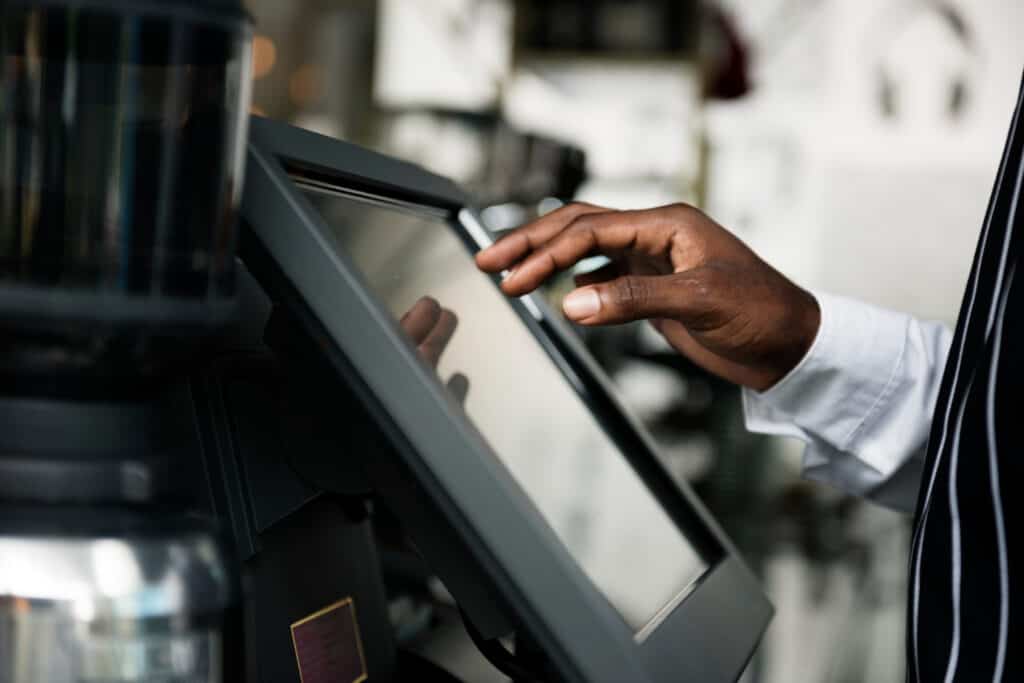
With numerous POS systems available in the market, it’s important to choose one that aligns with your business needs while offering seamless integration with essential tools. A well-integrated POS system ensures that your sales, customer data, accounting, and inventory work in sync, reducing errors and enhancing efficiency. Below are some of the top POS systems known for their integration capabilities.
1. Square POS
Square is perfect for startups and small enterprises. It facilitates inventory management and financial tracking by integrating with Shopify, Xero, and QuickBooks. The system offers a great solution for companies searching for an all-in-one point-of-sale system because it is affordable and easy to use.
2. Shopify POS
Designed for e-commerce and retail businesses, Shopify POS seamlessly connects with the Shopify platform. It also supports accounting tools like Xero and QuickBooks and includes advanced customer loyalty features. This makes it an excellent option for businesses with both online and physical stores.
3. Lightspeed POS
Lightspeed is popular among restaurants and retail stores due to its extensive feature set. It integrates with CRM, accounting software, and inventory management tools, providing in-depth analytics and reporting. Business owners who need robust reporting and multi-location support will benefit from Lightspeed’s capabilities.
4. Toast POS
Toast offers smooth integrations with payroll, accounting, and inventory software and is especially made for restaurants. Additionally, it offers mobile-friendly solutions that let managers keep an eye on operations and sales remotely. Toast is a good option for eateries searching for a complete point-of-sale system that is specific to their sector.
Conclusion
A POS system that integrates with your business tools is a game-changer for efficiency, accuracy, and growth. Whether you need a CRM and POS setup to enhance customer relationships or an accounting software and POS combination to streamline finances, the right integration will help you save time and improve operations.
Examine your company’s requirements, test various POS systems, and make sure they work with necessary tools before deciding. Long-term business success and more efficient operations can be achieved by making an investment in the appropriate point-of-sale system now.


Leave a Reply