Menu

Troubleshooting Common Wireless Terminal Issues
By John Misarti September 11, 2025
Wireless payment terminals are a must have for businesses of all sizes from small cafes to big retail chains. They offer flexibility, convenience and speed in processing transactions but like any piece of technology they can sometimes go wrong. For businesses that rely on smooth payment processes these interruptions can be stressful and costly. Knowing how to fix common problems can save time and prevent lost sales.
Why Wireless POS Systems Fail
Wireless terminals operate through multiple systems working together, hardware, software and network connections. When something goes wrong the issue can be caused by one or a combination of these. For example if the terminal freezes or transactions fail the root cause may be weak internet, outdated software or physical wear on the card reader. The complexity of these systems means problems are going to happen over time but they don’t always require professional repairs. Many situations can be fixed with simple steps that fall under basic wireless POS troubleshooting and can be done by staff to quickly identify the problem and get back to normal without disrupting customer service.
Fixing Connectivity Issues
One of the most common issues with wireless payment terminals is unstable or lost internet connection. Since these devices rely heavily on Wi-Fi, Bluetooth or mobile data networks weak or interrupted signals can prevent transactions from being processed. When you face connectivity issues the first step is to check if the terminal is in range of the network source and if other devices on the same connection are experiencing issues.
Restarting the router or moving closer to the access point usually fixes temporary disruptions. In some cases the problem may be with the service provider and you need to call to confirm if there is an outage. A stable connection is the backbone of a reliable wireless payment system and monitoring signal strength is part of daily operations.
Handling Card Reader Errors
Another common problem businesses face is the terminal can’t read the card. Card reader errors can show up as failed swipes, unreadable chips or failed contactless attempts. These can be caused by physical issues like dirt or dust on the reader, scratches on the card or outdated terminal software. Cleaning the reader with a specialized cleaning card often helps.
If the problem is across multiple cards it’s usually the device not the customer’s payment method. Regular updates also play a role in preventing these failures as outdated software may not support new card technologies. Effective wireless POS troubleshooting means determining if the error is just one card or all cards, since that determines if the customer should try a different payment method or the business needs to service the terminal.
Dealing with Frozen or Unresponsive Terminals
Like smartphones and other digital devices, wireless terminals can freeze or stop working. This is especially frustrating during peak hours when customers are waiting to make a purchase. In most cases the issue can be fixed by restarting the device which clears out temporary glitches in the system. Make sure the terminal’s battery is fully charged as low power can cause unresponsiveness. If the device still freezes, check for firmware updates or contact the provider’s support team. By treating unresponsiveness as part of wireless POS troubleshooting businesses can address interruptions and avoid downtime that affects sales and customer satisfaction.
Battery and Power Issues
Since wireless terminals are portable they run on rechargeable batteries. Over time batteries lose their capacity and you get shorter operating times and unexpected shutdowns. Power related issues show up as sudden restarts or the terminal won’t turn on. Make sure to charge terminals regularly and don’t overuse while plugged in to extend battery life. In some cases replacing an old battery is the only long term solution. Businesses that rely heavily on wireless systems should always have spare chargers and if possible extra batteries on hand. A proactive approach to battery health prevents connectivity issues and other operational problems that come from lack of power.
Software and Firmware Updates
Modern payment terminals need to be updated regularly to stay compatible with the latest payment methods, security protocols and network standards. Skipping these updates can cause glitches, failed transactions or card reader errors. Many providers do automatic updates but sometimes manual installation is required. Updating the terminal not only improves performance but also security, protecting sensitive financial data from threats. Businesses should make software updates part of their wireless POS troubleshooting routine to reduce downtime and keep operations running smoothly. Scheduled updates ensure terminals are reliable and compliant.
Security Issues with Transactions
Wireless payment systems handle customer information so they are a target for fraud or data breaches. Sometimes security settings or firewall restrictions can block legitimate transactions unintentionally, causing headaches for businesses and customers. Knowing how to configure these systems correctly is key to avoiding disruptions. If suspicious activity is detected the terminal may block usage until verification is complete. Treating security as part of non profit payment processing ensures both compliance and smooth operation. While wireless POS troubleshooting focuses on hardware and network issues it’s equally important to ensure security settings are correct and updated to prevent problems.
Printer and Receipt Issues
Some wireless terminals have built in printers for receipts and printer issues are another common pain. Paper jams, low ink or misaligned rolls can all cause delays in service. The easiest way to prevent printer issues is to make sure the correct paper is used and replaced properly. If the terminal won’t print even with the correct setup the issue may be firmware related and need a reset. Although printer issues don’t stop transactions from going through they can inconvenience customers who want physical proof of purchase. Including printer checks in wireless POS troubleshooting routines ensures smoother customer interactions and no delays at checkout.
Network Configuration Errors
Sometimes connectivity issues aren’t due to weak signals but to incorrect network settings. Misconfigured Wi-Fi passwords, outdated encryption or router incompatibility can prevent terminals from connecting. Resetting network settings and reconnecting from scratch usually fixes these issues. Businesses with multiple terminals should make sure each one is connected to the correct network to avoid conflicts. Knowing how to reconfigure settings without outside help can save time. Staff training in this area reduces reliance on external technical support and builds confidence in handling everyday wireless POS troubleshooting.

Contactless and Mobile Wallet Failures
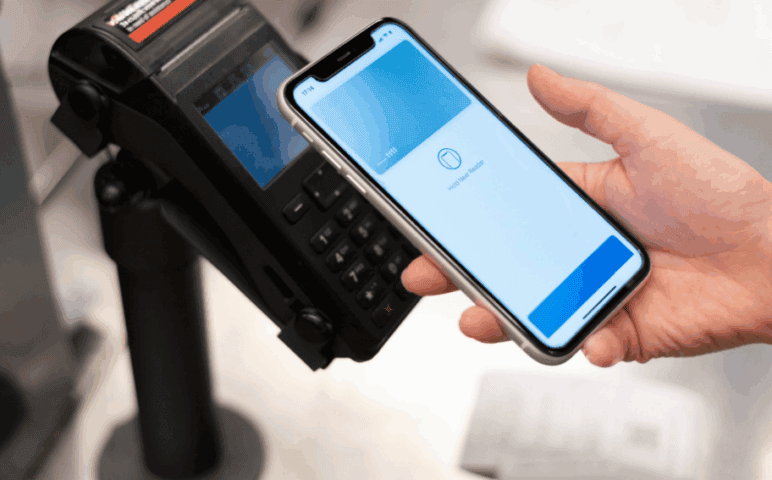
With the increasing popularity of contactless payments through cards and mobile wallets, ensuring smooth functionality is essential. Failures in this area are often linked to outdated software or interference from other electronic devices. Keeping the terminal updated and ensuring a clear area around the reader usually prevents card reader errors during tap-to-pay transactions. Sometimes the issue lies with the customer’s phone settings or card registration rather than the terminal itself, making it important to test across multiple payment methods before assuming device failure. As mobile payments grow, businesses must treat these issues as part of their broader wireless POS troubleshooting approach.
Training Staff for Effective Troubleshooting
Even the best technology can encounter problems, but well-trained staff can make the difference between a minor hiccup and a major disruption. Training employees to identify whether an issue is related to connectivity problems, card reader errors, or power failures helps them act quickly. Clear step-by-step guides and regular refresher training sessions ensure that troubleshooting becomes second nature. Staff should also know when an issue is beyond basic fixes and requires escalation to professional support. By embedding troubleshooting knowledge into daily operations, businesses reduce downtime and improve customer confidence in their payment systems.
When to Seek Professional Help
While many issues can be resolved through basic wireless POS troubleshooting, there are times when professional assistance is necessary. Repeated card failures, persistent connectivity issues, or frequent crashes may indicate deeper hardware or software problems. In such cases, contacting the terminal provider or manufacturer ensures that repairs or replacements are handled correctly. Continuing to use a faulty terminal without addressing the root cause risks transaction failures and customer dissatisfaction. Knowing when to escalate the problem saves time and protects the business from further complications. Ultimately, a balance between self-reliance and professional support ensures reliable payment processing.
Environmental Factors Affecting Terminal Performance
Sometimes issues with wireless payment terminals are not technical in nature but environmental. Terminals can be sensitive to temperature extremes, humidity, or exposure to dust and moisture, which all interfere with smooth functioning. For example, high heat may cause devices to overheat and shut down, while cold conditions can affect battery efficiency. Dust particles or spilled liquids can also lead to persistent card reader errors by obstructing sensors.
Businesses that operate outdoors, such as food trucks or event vendors, need to pay close attention to environmental conditions to prevent unexpected disruptions. Proper storage when terminals are not in use, protective cases, and climate control in service areas go a long way in reducing these risks. Viewing environmental care as part of wireless POS troubleshooting ensures that devices remain durable and reliable. Proactive habits such as wiping terminals regularly, avoiding direct exposure to the elements, and scheduling periodic inspections create an environment where connectivity problems and mechanical failures are far less likely to occur.
Payment Declines and Authorization Failures
Another common challenge that can confuse both staff and customers is when transactions are declined despite the card being valid. These situations may appear as system glitches, but they are often tied to bank authorizations, daily spending limits, or temporary holds placed on cards. While these do not usually indicate hardware faults, staff may mistake them for card reader errors if they are unfamiliar with how payment approvals work.
To troubleshoot effectively, the first step is to test with an alternate card to confirm whether the issue lies with the customer’s bank or the terminal itself. If multiple cards fail, then connectivity problems or outdated software could be interfering with transaction approvals. Incorporating this knowledge into wireless POS troubleshooting routines helps employees explain the situation calmly to customers and avoids unnecessary frustration. Clear communication and patience are essential, since declines may be beyond the merchant’s control, but knowing how to confirm the root cause can save time and protect trust.
Data Syncing and Reporting Errors
Modern wireless terminals often link with back-office systems to track sales, generate reports, and sync inventory. When these features malfunction, businesses may experience missing data, duplicate entries, or mismatched sales totals. These problems are not as visible as a failed payment but can cause major headaches for accounting and reconciliation. Most syncing errors come from connectivity problems, where unstable networks disrupt the flow of information. Occasionally, outdated firmware or integration settings are to blame, creating gaps in reporting.
Treating these as part of wireless POS troubleshooting helps staff look beyond just transaction issues and understand the bigger picture of system reliability. Regularly checking whether transactions align with reports ensures discrepancies are caught early. If the terminal consistently fails to sync, businesses may need to reset integration credentials or work with providers to adjust system settings. Preventing errors at this stage saves hours of corrective work and ensures that card reader errors or network failures do not escalate into financial record problems.
Preparing for Long-Term Reliability
Wireless terminals are long-term investments, and consistent reliability requires proactive care. Instead of waiting for breakdowns, businesses should adopt preventative maintenance routines that include regular updates, battery checks, cleaning schedules, and staff training refreshers. Viewing these activities as ongoing parts of wireless POS troubleshooting shifts the mindset from reactive problem-solving to forward planning. The benefits extend beyond fewer disruptions at checkout; they also create more confidence among staff and customers who rely on fast, smooth payments.
A long-term approach also means budgeting for periodic replacements or upgrades, as older devices are more prone to connectivity problems and card reader errors. The payment industry evolves rapidly, and newer models often provide stronger network stability, better compatibility with modern cards, and enhanced security. By preparing in advance rather than reacting to sudden failures, businesses ensure that their operations are not derailed by technical issues. Long-term reliability depends not just on the device but on consistent habits that keep systems running at peak performance.
Conclusion
Wireless payment terminals are powerful tools that make transactions faster and more convenient, but like all technology, they are prone to occasional issues. From connectivity problems to card reader errors, most challenges can be resolved with basic steps if staff are prepared and attentive. Incorporating routine maintenance, timely updates, and practical training helps reduce disruptions and ensures smoother operations. A structured approach to wireless POS troubleshooting not only keeps payments flowing but also enhances customer trust and satisfaction. Businesses that proactively address common problems will be better positioned to provide reliable, efficient, and secure payment experiences in an increasingly digital marketplace.


Leave a Reply