Menu

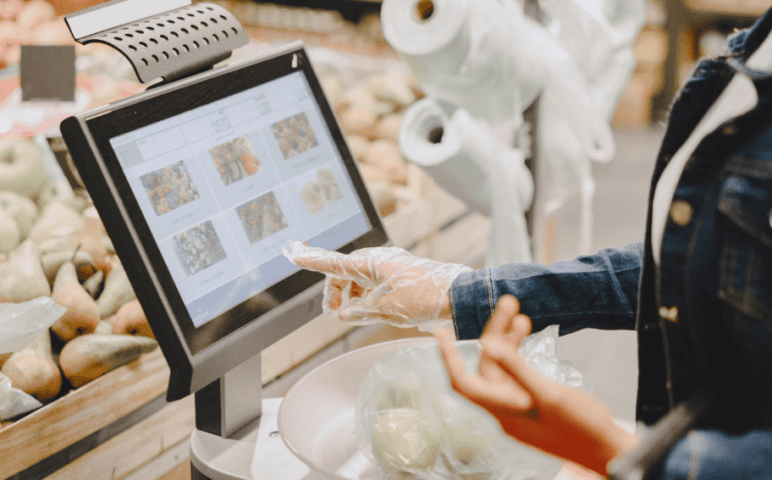
Touchscreen POS Systems: Improving Speed and User Experience at Checkout
By John Misarti May 20, 2026
The checkout counter has always been a moment of truth in retail, the point where the customer’s shopping experience either concludes smoothly with a transaction that feels effortless, or encounters friction that undermines the positive impressions built by everything that came before it. For most of retail history, the technology at the checkout counter was designed primarily for the merchant’s operational needs rather than for the customer’s experience, with clunky keyboards, small displays, and transaction flows that required staff training and patience to navigate.
Touchscreen POS systems have fundamentally changed this dynamic by creating checkout technology that is simultaneously faster to operate, more intuitive to learn, more flexible to configure, and more capable of delivering a genuinely positive experience to both the staff member processing the transaction and the customer completing it. Interactive payment terminals that use large touchscreens, gesture-based navigation, and consumer-grade interface design have made the checkout experience more similar to using a smartphone than to operating a traditional register, which has had measurable effects on transaction speed, staff training requirements, and customer satisfaction.
The technology of retail checkout processes based on touchscreen POS systems can achieve things that older technologies of checkout hardware were unable to do, from real-time inventory updates, through linking with customer loyalty programs, to electronic receipts and customer facing display technology, turning an otherwise transactional process into a means of building up the relationship between retailer and customer. Learning about what a touchscreen POS system can achieve, how it stacks up against other systems in particular respects, and what needs to be thought about before investing in one, is becoming vital information for business owners looking for new technologies.
The Interface Revolution: Why Touchscreen Changes Everything
The transition from button-based and keyboard-based POS interfaces to touchscreen interfaces represents more than a change in input method. It represents a fundamental reconfiguration of how checkout technology is designed and for whom it is optimized. Traditional POS keyboards and button arrays were designed primarily for operator efficiency by staff who would use the same interface repeatedly for thousands of transactions, which made them relatively efficient for trained operators while being completely opaque to anyone without specific training.
Touchscreen POS systems are designed around visual logic that is immediately comprehensible to anyone familiar with smartphone or tablet interfaces, which dramatically reduces the training time required for new staff while also enabling the kind of flexible configuration that allows the interface to be reorganized for different business needs without physical hardware changes. User-friendly POS design through touchscreen interfaces allows product buttons, categories, and transaction flows to be arranged in ways that match the specific needs of the business rather than forcing the business to adapt its operations to the fixed layout of a pre-configured hardware interface.
A coffee shop can set up its POS screen such that the beverages ordered most often occupy the most prominent places, allowing an employee who has just joined the workforce at the establishment to complete the most common tasks effectively without necessarily gaining the detailed product information that would enable them to operate within the conventional system using the keyboard setup. The use of technology that adjusts its interface to meet the requirements of the retailer rather than forcing the retailer to change the way it operates to suit the technology is a definite advantage that builds up in each transaction and each new employee that must learn how to work with it.
Speed and Throughput: The Transaction Time Advantage
The most immediately measurable operational benefit of touchscreen POS systems for high-volume retail and food service environments is the reduction in average transaction processing time that well-designed touchscreen interfaces enable compared to traditional keyboard-based systems. Transaction speed on a touchscreen POS is primarily determined by the quality of the interface design, specifically how many taps are required to complete a standard transaction and how intelligently the system anticipates common transaction patterns to reduce the input required.
Interactive payment terminals with well-thought-out touchscreen interfaces are capable of processing a basic transaction within 3-5 seconds of inputting by the cashier, which is much better than keyboard payment interfaces, where the same transaction may take more time even for experienced employees, because of having to enter a series of digits on another screen.
The impact of reduced time per transaction on the system capacity is felt more during the busiest hours, when there is a long queue of clients waiting to place an order, and every second counts, increasing the number of served clients without the necessity to increase staffing. POS systems that have a customer-facing display interface enable the client to see what transaction they are placing, thus saving the time spent on repeating and confirming the order verbally in the case of a mistake. Combining all these features in one system enables one to create a very quick checkout experience for the customer.
Staff Training and Operational Flexibility
One of the most practically significant advantages of user-friendly POS systems built on touchscreen interfaces is the dramatic reduction in staff training time required to bring new team members to operational competency on the payment system. Traditional POS systems with keyboard inputs and complex menu navigation often required several hours of training and days of practice before a new staff member could process transactions accurately and at a reasonable speed without supervisory assistance.
Touchscreen POS systems with well-designed interfaces can typically be learned to basic competency in thirty to sixty minutes, because the visual logic of the interface is familiar from smartphone use and the tap-based navigation is immediately intuitive even for people with no prior POS experience. For retail businesses with high staff turnover or seasonal staffing needs, this training time reduction represents a significant operational advantage that directly reduces the cost and disruption associated with onboarding new team members.
The ability of retail checkout technology to adapt itself to different configurations also becomes possible with touchscreen-based checkout systems, as it allows the company to configure its system very quickly whenever the need arises due to introduction of a new product category or implementation of a seasonal menu, or even reconfiguring the store space according to efficiency of its staff.
The configuration process in such cases does not involve any physical changes to the hardware since all the reconfigurations can be done via software interface; therefore, they can be easily done within the shortest period of time. In addition, an interactive checkout terminal that includes multiple user profiles can help the company provide its staff with role-based access control through the POS interface by limiting some functions from access of certain users.
Customer-Facing Features and the Experience Dimension
The most forward-thinking touchscreen POS deployments treat the customer-facing screen as an active customer experience element rather than simply a display that shows the transaction total. Interactive payment terminals with dual-screen configurations that present a customer-facing touchscreen alongside the operator screen create opportunities for customer engagement at the checkout that single-screen systems cannot provide.
A customer-facing screen can display the itemized order in real time as the staff member enters it, allowing the customer to verify accuracy before payment is initiated rather than discovering an error only after the transaction is complete. It can present loyalty program information including the customer’s current point balance and the rewards they are eligible to redeem, which turns the checkout moment into a loyalty relationship interaction that reinforces the customer’s engagement with the program.
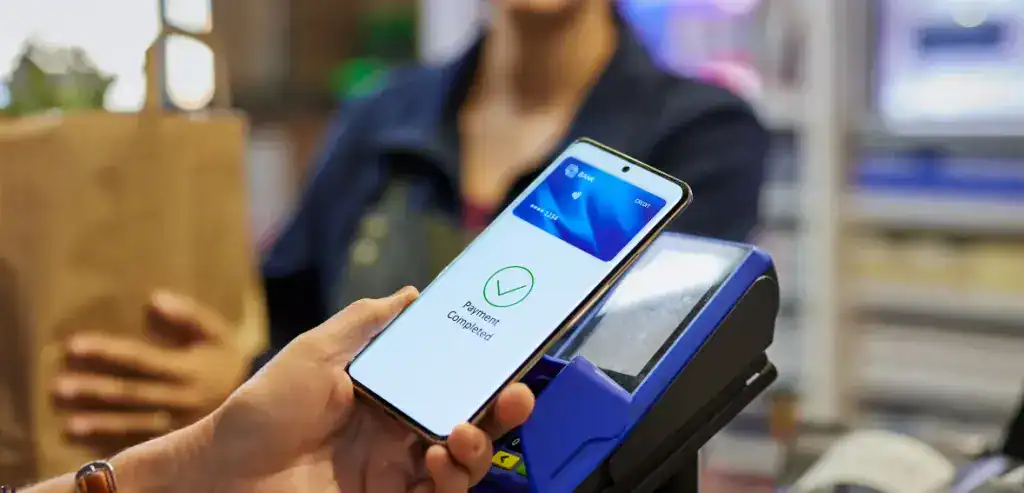
It could present digital options for receipts such as the email or SMS option which not only collects the customer’s contact information for future advertising but saves on waste paper as well. It can present promotional information or announcements about new products while the customer’s attention is at its peak; that is, when they are at the counter making a purchase instead of being passive readers of the menu and website. The user-friendly interface should be given just as much thought and attention as the staff interface; this would involve creating an interface that is visually appealing and easy to navigate when it comes to entering information such as the loyalty card number or tip amount.
Integration Capabilities and the Connected Commerce Environment
Touchscreen POS systems in the current market are distinguished from their predecessors not only by their interface design but by their connectivity and integration capabilities, which allow them to serve as the hub of a connected commerce environment rather than a standalone transaction processing device. Retail checkout technology that integrates directly with inventory management systems updates stock levels in real time with each transaction, preventing the overselling of items that are no longer in stock and providing the continuous inventory visibility that informed purchasing decisions require.
Integration with customer loyalty platforms allows the POS to recognize loyalty members at checkout, apply their earned rewards automatically, and update their point balance without requiring a separate loyalty system interaction. Integration with accounting software transfers daily sales summaries automatically, reducing the manual data entry and reconciliation work that disconnected systems require.
Touchscreen POS systems that support online ordering integration allow e-commerce orders to flow directly into the in-store fulfillment workflow through the same interface that staff use for in-person transactions, eliminating the separate tablet or order management screen that many businesses use for online orders without proper POS integration. The API-based integration architecture of modern touchscreen POS platforms makes it possible to connect to an expanding range of third-party applications as the business’s needs evolve, without requiring hardware replacement when new integration requirements emerge.
Evaluating Touchscreen POS Systems for Your Business
The evaluation of touchscreen POS systems for a specific retail or food service environment requires assessment criteria that go beyond surface interface attractiveness to address the specific performance requirements, integration needs, and operational context of the business making the investment. The processing speed and reliability of the system under the specific transaction load of the busiest periods should be tested rather than assumed from vendor demonstrations, because systems that perform smoothly under light loads sometimes show performance degradation under the continuous high-volume processing of a peak service period.
The specific integrations required for the business, including the payment processor, loyalty platform, accounting software, and any e-commerce channels, should be verified as current, certified integrations rather than theoretical compatibility, because the quality of integrations varies significantly between POS platforms and between different versions of connected software. User-friendly POS assessment should include hands-on testing by actual staff members who will use the system rather than only by owners or managers who have different interaction patterns and different perspectives on what makes an interface intuitive. Hardware durability matters in high-touch retail environments, and the specific construction quality, screen durability, and spill resistance of candidate systems should be assessed for fit with the physical demands of the specific environment.
The total cost of ownership including hardware, software licensing, payment processing, support, and upgrade costs should be evaluated over a three to five year horizon rather than comparing only upfront costs, because the relative attractiveness of different systems often changes significantly when the full lifecycle cost is analyzed rather than the initial investment alone.
Conclusion
Touchscreen POS systems have fundamentally improved the checkout experience for both staff and customers in ways that traditional hardware could not approach, and the continued development of interactive payment terminals with increasingly sophisticated interfaces and integration capabilities is making these benefits accessible to businesses of every size and type. Retail checkout technology built on well-designed touchscreen interfaces reduces transaction times, simplifies staff training, enables customer engagement at the checkout moment, and connects to the broader commerce infrastructure that modern retail operation requires.
User-friendly POS systems that are selected and configured thoughtfully for the specific needs of the business produce operational advantages that compound across thousands of daily transactions into significant improvements in throughput, accuracy, customer satisfaction, and the staff experience that affects retention and service quality. The investment in quality touchscreen POS technology is an investment in the checkout moment that every customer experiences, and the quality of that moment shapes the customer’s impression of the business in ways that extend well beyond the transaction itself


Leave a Reply